
Tables, equations, and bibliography
Tables
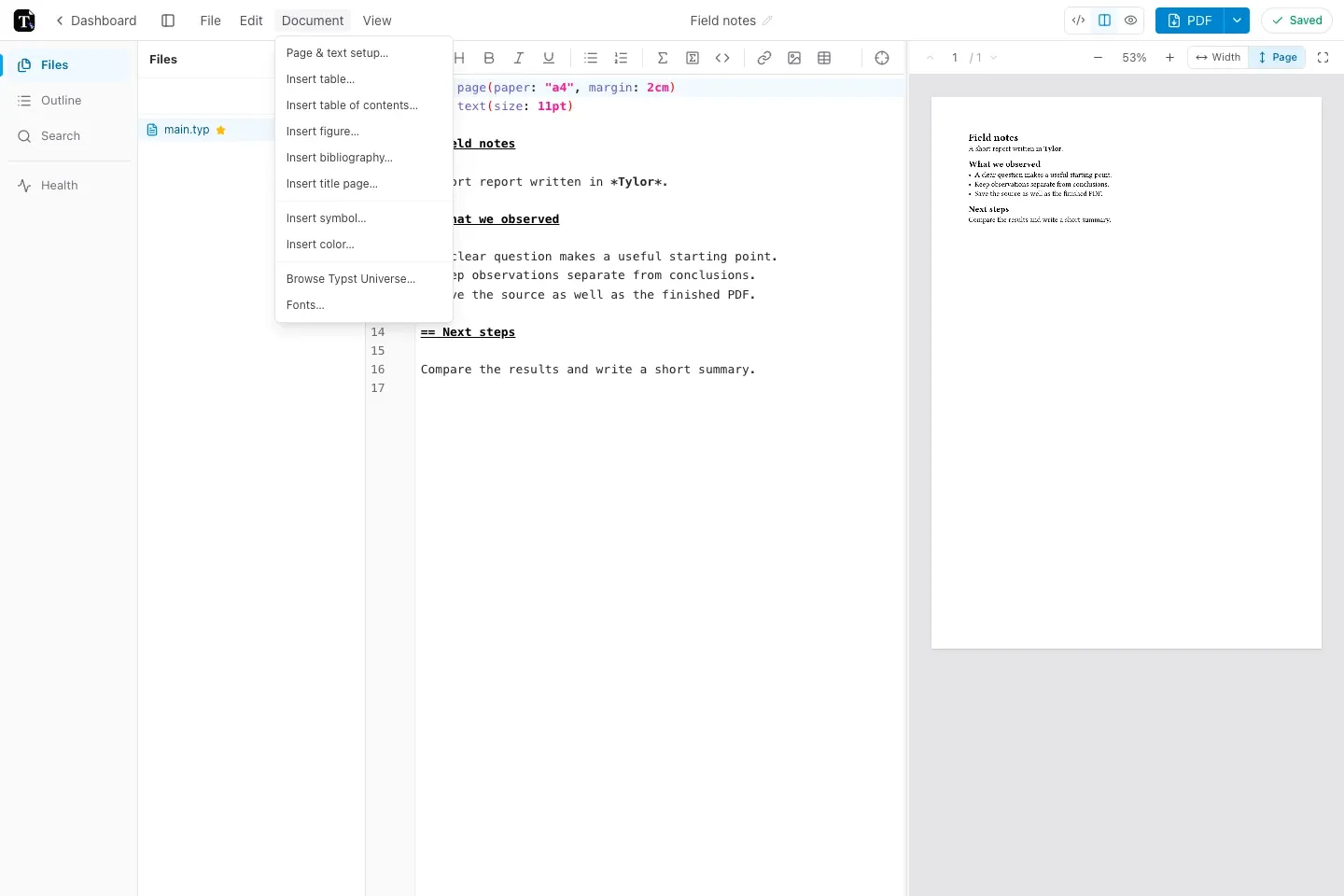
Section titled “Tables”Choose Document → Insert table… to build a table and inspect the generated source before inserting it.
For a small table, you can also type:
#table( columns: (1fr, 1fr), table.header([Observation], [Count]), [Morning], [12], [Afternoon], [18],)Equations
Section titled “Equations”Use dollar signs for math. Spaces just inside the delimiters make a displayed equation:
The energy is $E = m c^2$.
$ sum_(i=1)^n i = (n(n+1))/2 $
Use Document → Insert symbol… when you need help finding a symbol. The Typst math reference explains the language in more detail.
Bibliography
Section titled “Bibliography”Upload a bibliography file such as references.bib, then choose Document → Insert bibliography… or insert:
#bibliography("references.bib")Cite an existing key with @key. A citation key must match an entry in the bibliography file; a missing key produces a diagnostic.
Table of contents
Section titled “Table of contents”Choose Document → Insert table of contents…, or use #outline() to list your document’s headings. Use =, ==, and === for successive heading levels.
The insertion tools generate source you can continue editing. If your template already defines these elements, follow the template’s structure before adding a second copy.