
Comments and suggested changes
Discuss a passage with comments
Section titled “Discuss a passage with comments”Select the passage you want to discuss and use the editor’s comment action. Review threads in the Comments panel. Comments are attached to source positions; they are not inserted as Typst source text.
Use comments for questions, explanations, and decisions. Mod+Shift+Down/Up moves between available comments from the editor.
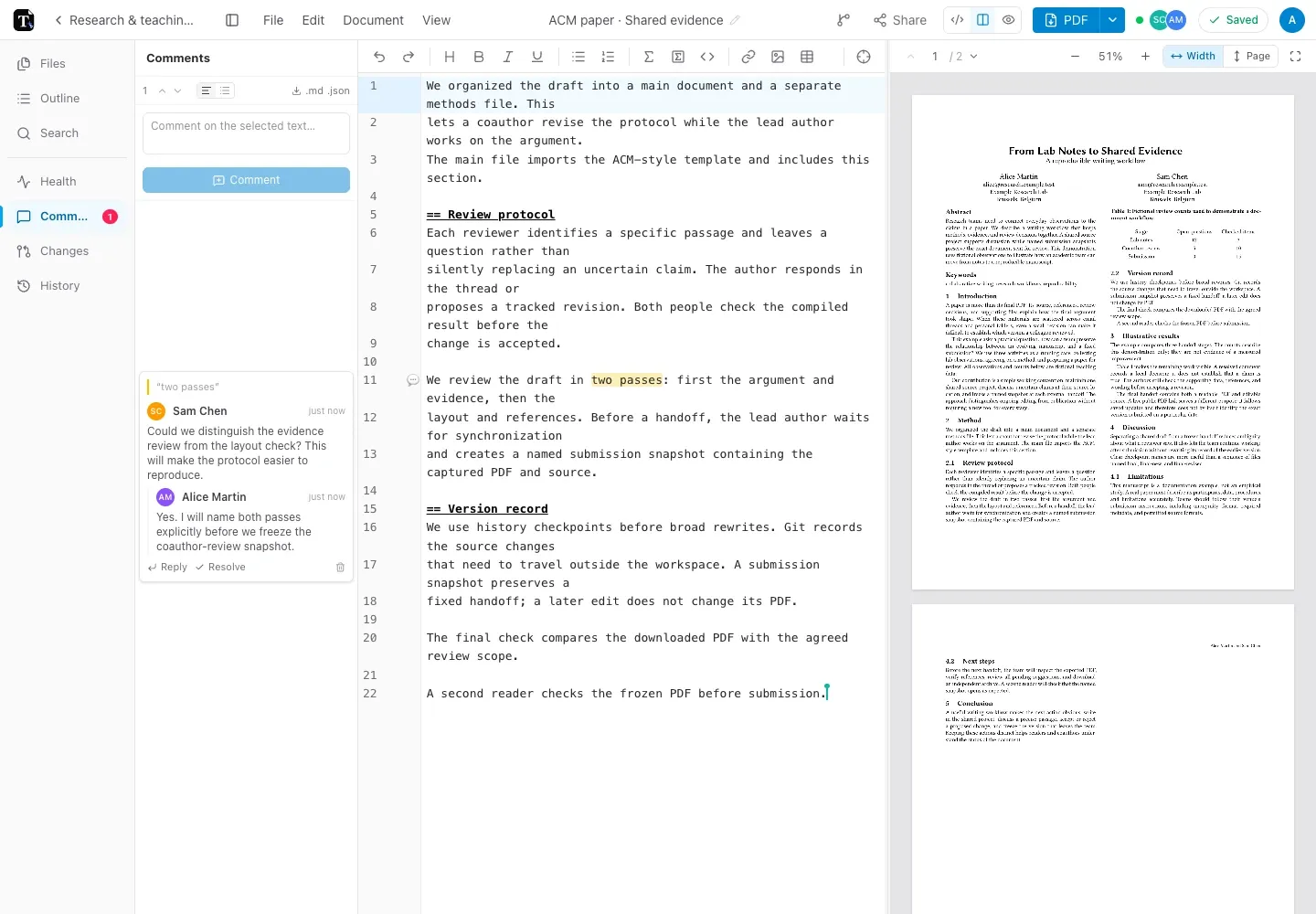
For a paper, ask whether a method is reproducible. For meeting minutes, ask whether a decision reflects the agreement. For a revision sheet, anchor the question to an exercise or answer that needs clarification.
Propose a change
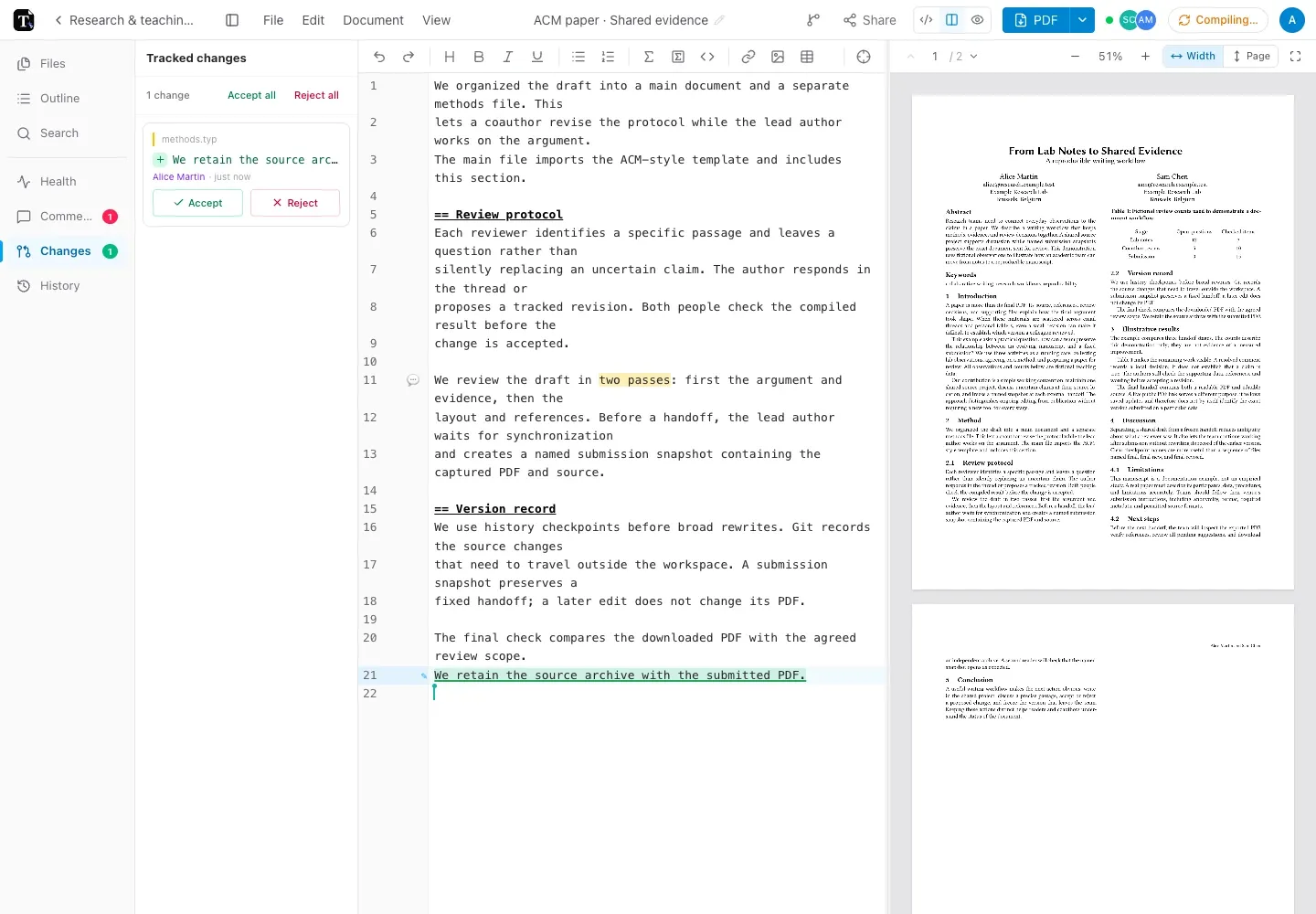
Section titled “Propose a change”Turn on View → Suggest changes (track), then edit the source. Insertions are marked in green. Deleted text appears as a struck-through marker at its former position.
Open the Tracked-changes panel or an inline suggestion to review it:
- Accept keeps the proposed edit and removes its tracking record.
- Reject undoes the proposed edit, then removes its tracking record.
Understand the preview
Section titled “Understand the preview”AI edits also use the suggestion workflow when offered as tracked changes. Check the meaning, source syntax, and compiled result before accepting them.
Allow review operations to sync before changing devices. If you have pending offline comments or suggestions, preserve the browser’s data until the queue has reconciled.