
Overview
Tylor brings your Typst source, live PDF preview, collaborators, and AI tools into the same document workflow. With the Tylor CLI and skill, your agent can work directly on your projects: read files, make changes, compile the document, and return proposed edits for review in the browser.
Use Codex, Claude Code, Pi, OpenCode, or another agent with terminal access and support for the Tylor skill.
Work with your AI agent
Section titled “Work with your AI agent”Give your agent a task using your own content and instructions. The Tylor skill supplies the project operations; you keep the editor open to inspect the source, preview, and tracked changes.
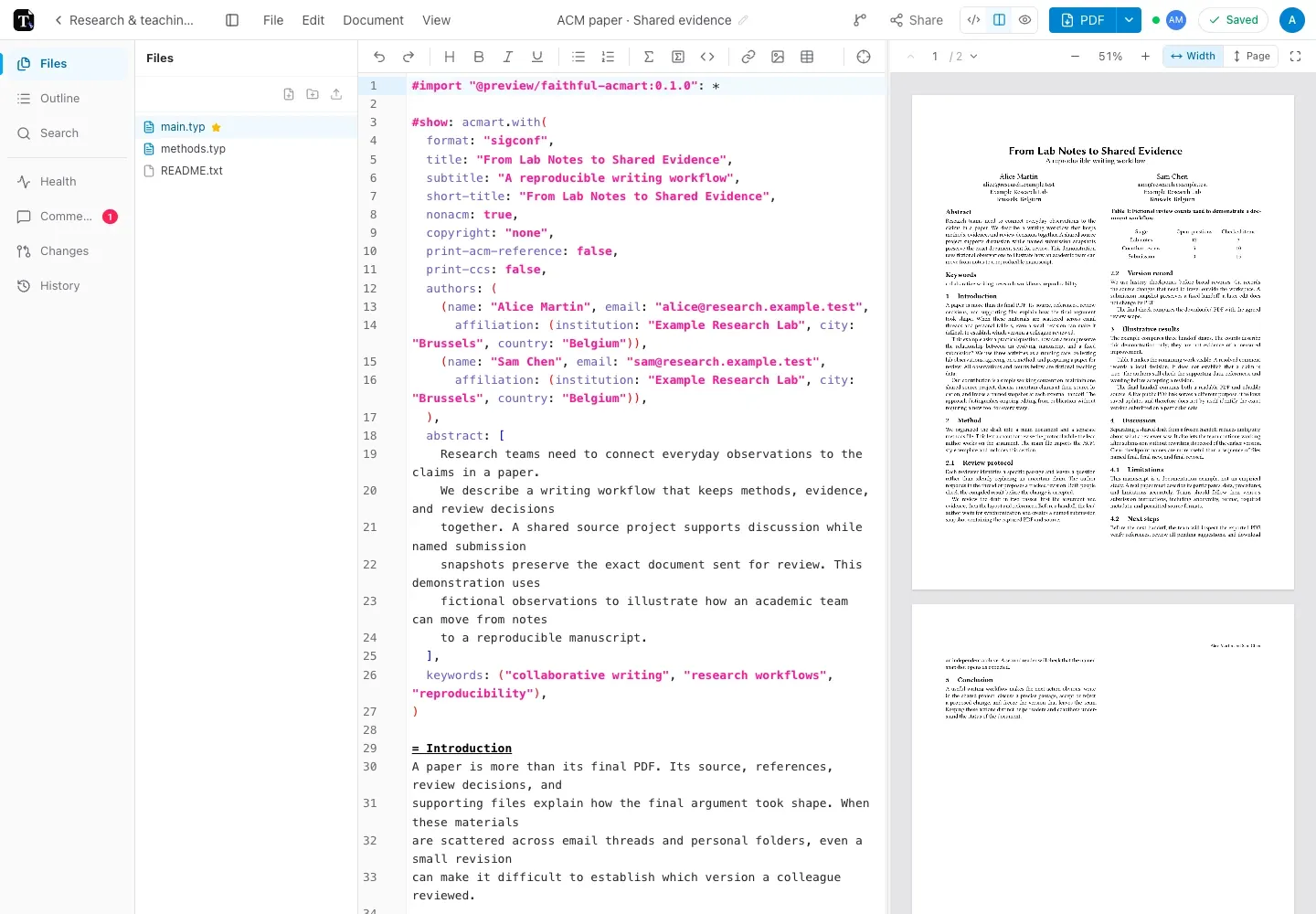
Your workspace in the browser
Section titled “Your workspace in the browser”Open a project to edit its files and inspect the compiled pages side by side. Sharing, comments, History, Git sync, and snapshots stay with the document workflow whether you work manually or through an agent.
| Task | Guide |
|---|---|
| Get familiar with the editor | Quick start |
| Reuse instructions with your agent | Skills and reusable workflows |
| Use built-in Assist or Ask | AI in the editor |
| Import existing files | Importing documents |
| Work with colleagues | Sharing and permissions |
| Understand saving and sync | Saving and offline use |
| Keep the exact exported version | Snapshots and backups |
Tylor and Typst
Section titled “Tylor and Typst”Tylor provides the workspace and tools. Typst is the language that turns your source into typeset pages. This guide explains Tylor’s controls and workflows; the official Typst documentation covers the language.
Availability
Section titled “Availability”Sign in on tylor.app to access your workspace. The CLI and agent skill connect to saved server projects using your Tylor account’s permissions. They cannot reach projects stored only in a browser’s local mode.
Screenshots use fictional papers, meeting minutes, and revision sheets to show the tools in context.