
Live collaboration
Enable real-time editing
Section titled “Enable real-time editing”- Invite collaborators with the appropriate permissions.
- Open the project’s Share dialog.
- If available, turn on Real-time collaboration.
- Follow the Reload document prompt when the editing mode changes.
The reload switches the document into the correct editing session. Ask other people who already have it open to follow their reload prompt too.
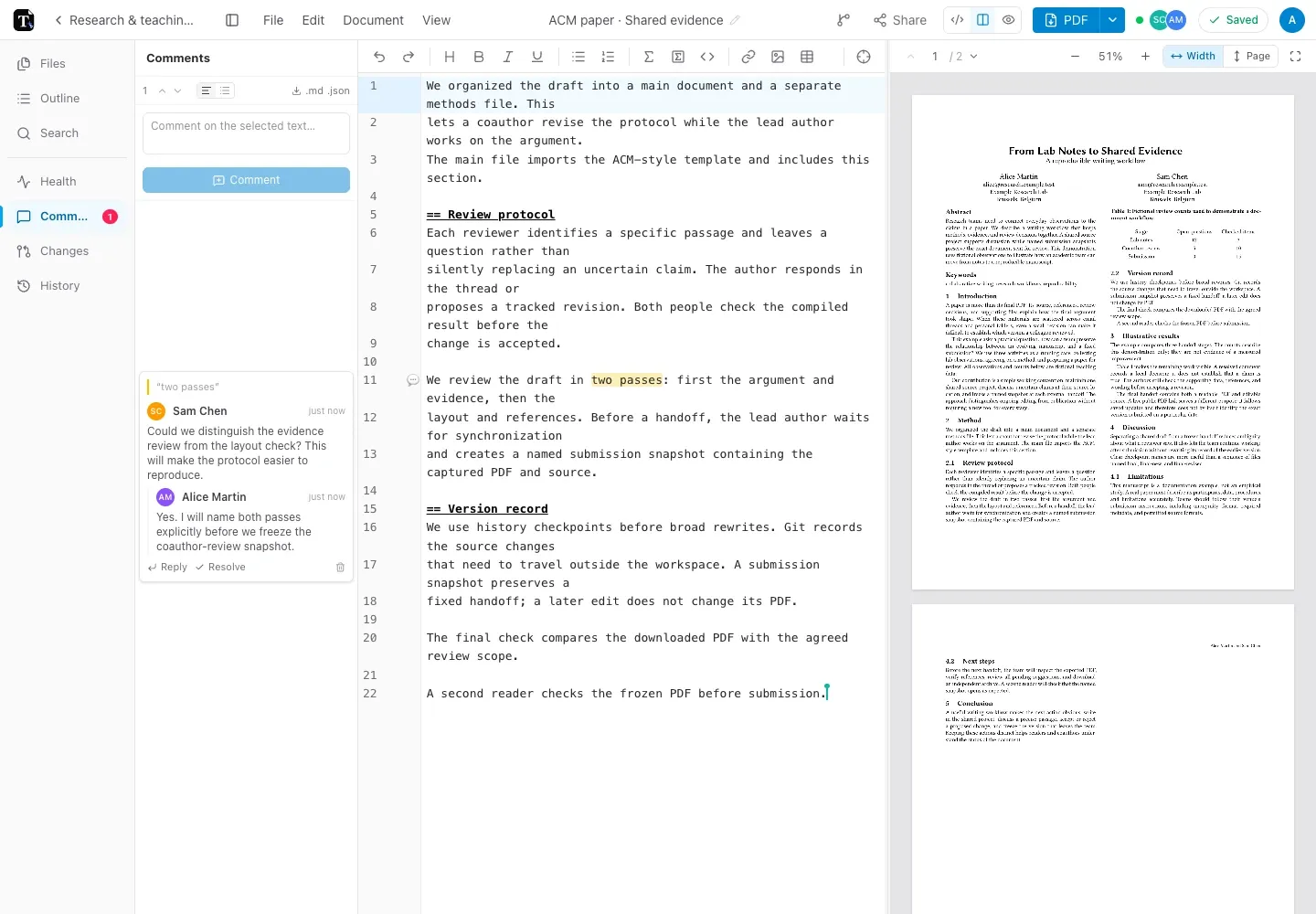
This example shows Alice and Sam working on methods.typ in separate browser sessions. The paper remains the same project; they do not exchange new copies of the source after each edit.
During a session
Section titled “During a session”Edit the shared text and use comments for discussion. Suggested changes are useful when a change needs review rather than immediate acceptance.
Without real-time collaboration, the app may reserve ordinary editing for one active editor. Respect the presence or reload notices rather than assuming another editor’s changes will merge.
Connection and external changes
Section titled “Connection and external changes”If a connection drops, preserve the current browser’s work and reconnect before moving to another device. An update from Git, history restoration, or an external tool may require the open session to refresh or reconcile.
Read the app’s recovery message before reloading, especially if it reports pending local changes. See saving and offline use for the difference between local changes and synced work.